Your Family Command Center
Everything you need to coordinate with your au pair, organized in one place. See tasks, events, messages, and child activities at a glance.
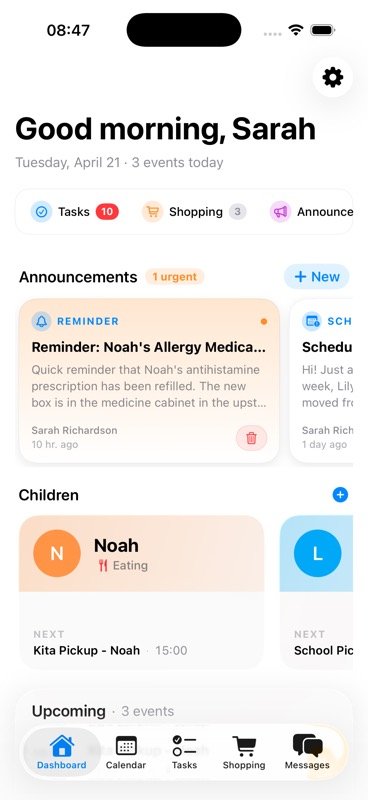
Dashboard for Parents
Parents get a comprehensive view of their household coordination with quick access to everything that matters:
- Quick Actions: Add tasks, create events, or send messages instantly
- Announcements: Keep everyone informed with family-wide updates
- Today's Events: See what's happening today at a glance
- Active Tasks: Track what needs to be done and who's responsible
- Children Activities: Monitor each child's schedule and wellbeing
Dashboard for Au Pairs
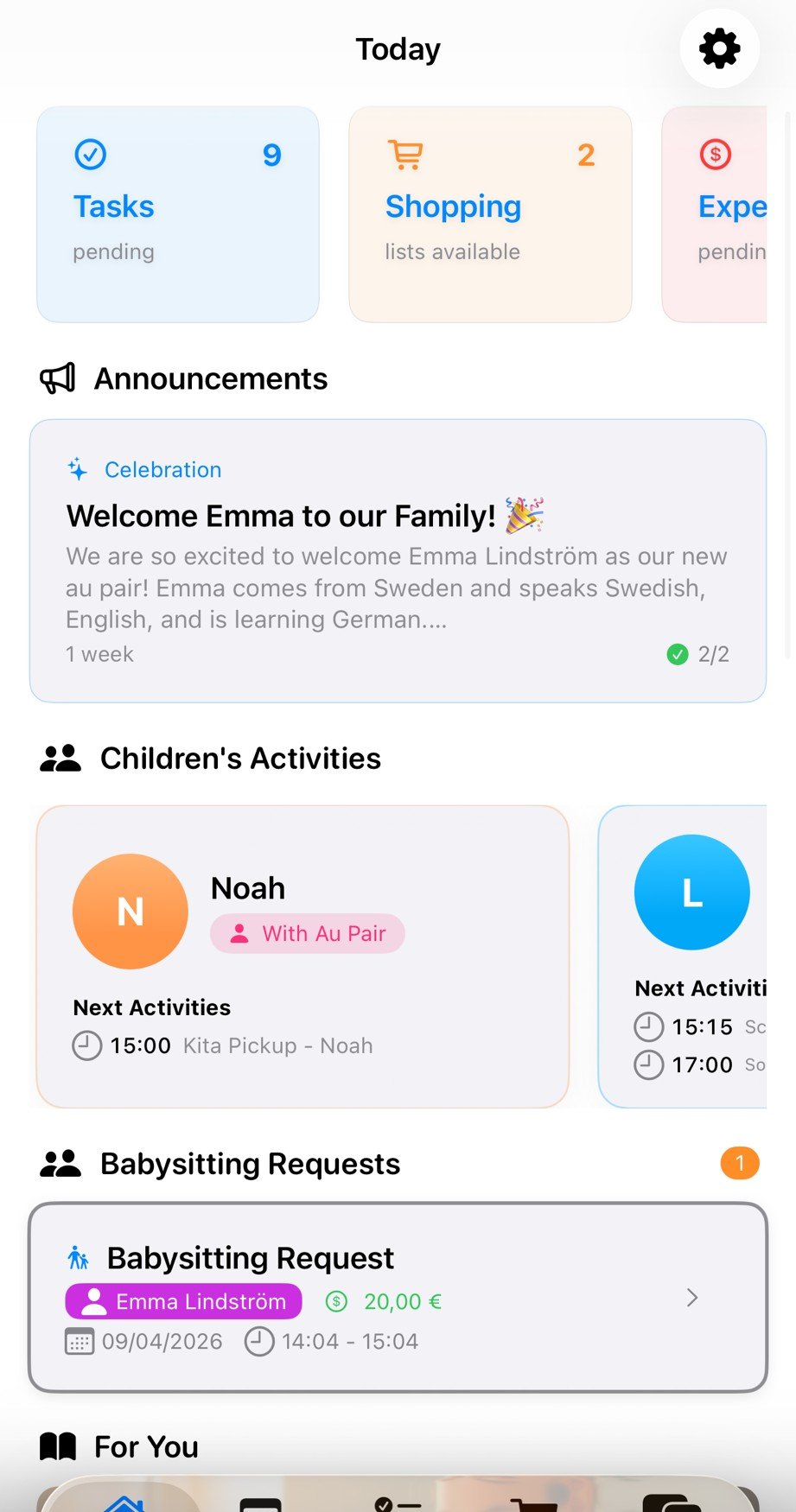
Au pairs see a focused view of their responsibilities and upcoming activities:
- Children's Activities: See which child you're with and their upcoming schedule
- Upcoming Events: View today's events like Snack, Piano, and Dinner times
- My Tasks: Clear list of today's assignments like "Clean kitchen"
- Quick Overview: Everything you need to know for the day in one glance
- Easy Navigation: Jump to Calendar, Tasks, or Shopping from the bottom menu
Why the Dashboard Matters
At-a-glance overview
No hunting through multiple apps. Everything you need to know is right on your dashboard homepage.
Role-based views
Parents and au pairs see what matters to them. No clutter, just the information you need.
Quick access
Jump to any feature from your dashboard. Add a task, check the calendar, or send a message in seconds.
Real-time updates
Changes sync instantly across devices. Everyone stays on the same page, automatically.
Explore Related Features
📢 Announcements — Broadcast What Matters
Important information shouldn't get buried in chat. Announcements let you broadcast updates to the whole family — and track who's actually read them.
High Priority
For urgent updates: schedule changes, allergies discovered, emergency instructions. Everyone gets an immediate push notification.
Example: "Max has a new peanut allergy — effective immediately"
Normal Priority
For everyday updates: upcoming events, rule changes, helpful reminders. Delivered normally, visible on dashboard.
Example: "Grandparents visiting next weekend — adjusted schedule"
Low Priority
For nice-to-know info: meal suggestions, activity ideas, general notes. No notification, visible when the app is opened.
Example: "New snack options in the pantry"
Scheduled Announcements
Write it now, send it later. Schedule announcements for specific dates and times — perfect for upcoming changes.
Example: Schedule Monday's routine change on Friday evening
Read Tracking & Acknowledgment
Never wonder if your au pair saw the message. Each announcement shows who's read it and when — so you know important information actually landed.
Related Guides
5 Things Your Au Pair Needs to Know About Your Kids
Document allergies, routines, and behavioral quirks so your au pair can access everything from the dashboard.
The First Week with Your Au Pair
A day-by-day onboarding plan that helps you set up the dashboard before your au pair arrives.
House Rules for Au Pairs
Set clear boundaries and store them where everyone can see — right alongside your daily dashboard.
Ready to get organized?
Join families already coordinating better with AuPairSync.